
Tone Generator FAQ
How do I play a tone or drone?
Section titled “How do I play a tone or drone?”- On the Tuner tab, open the Tone Generator by selecting the Honeycomb or Piano icons.
- Tap any note to play it.
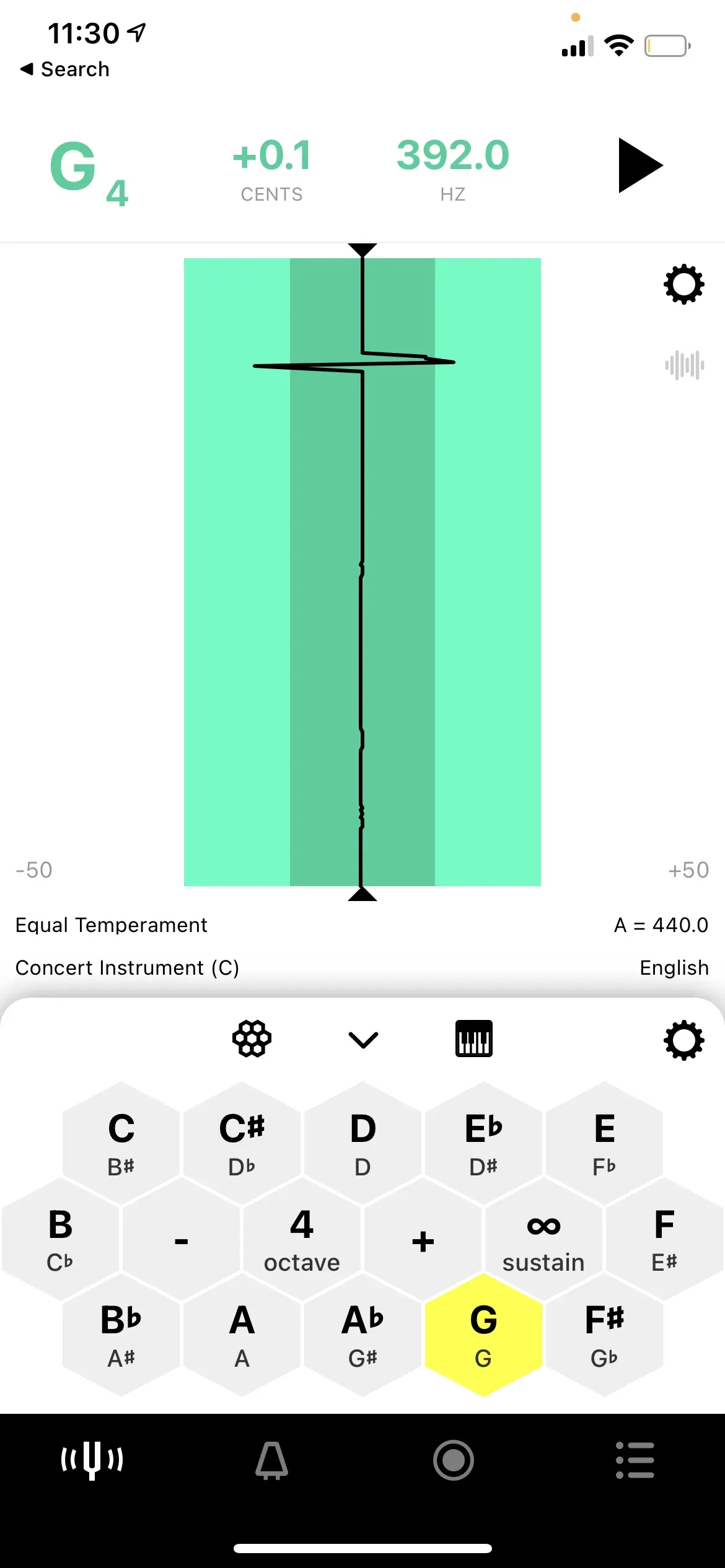
The note plays as long as you hold it, or indefinitely if Sustain is enabled.
How do I sustain a note on the Tone Generator?
Section titled “How do I sustain a note on the Tone Generator?”Tap the Sustain button (the ∞ icon). With Sustain on, tapping a note holds it until you tap it again or turn Sustain off.
Can I play multiple notes at once?
Section titled “Can I play multiple notes at once?”Yes. Enable Sustain and tap multiple notes. Each tapped note is held, letting you build intervals or simple chords. Tap a held note again to release it.
How do I change the octave on the Piano interface?
Section titled “How do I change the octave on the Piano interface?”Scroll the piano keyboard left or right to reach higher or lower octaves.
Can I use the Tone Generator while recording?
Section titled “Can I use the Tone Generator while recording?”Yes. You can run the Tone Generator as a drone reference pitch while recording in the Sessions tab. Start the Tone Generator on the Tuner tab first, then navigate to Sessions and begin your recording. The tone continues playing through your recording.
What is the Hexagon layout?
Section titled “What is the Hexagon layout?”The Hexagon (or Honeycomb) layout arranges the 12 notes of the chromatic scale in a grid where harmonically related notes sit adjacent to each other. Notes a perfect fifth apart are direct neighbors; notes a major third apart are diagonal neighbors. This layout — also called a Tonnetz — makes it easy to explore chords and intervals without scrolling. Switch between Hexagon and Piano in Tone Generator Settings.
Which waveform should I use?
Section titled “Which waveform should I use?”Each waveform has a different sound character. Choose based on what helps your ear most:
- Sine Wave: pure, no overtones — easiest to pitch against, least distracting.
- Triangle Wave: warm and mellow — blends well under playing.
- Square Wave (default): bright and hollow — clear pitch center.
- Saw Wave: buzzy and rich — most prominent, cuts through louder playing.
There is no rule — try each one and use whichever helps you hear the reference pitch most clearly.
If you have a question about the Tone Generator that is not answered above, please contact us and we will be happy to help.